Use the sandbox
The sandbox is a local web page that runs one graph, shows each step and answers its interrupts; it comes with the sandbox extra.
When you need it
Use it to try a graph by hand, step by step, and to answer its interrupts in a form.
Steps
- Keep the graph in a module-level variable, such as
graphinapp.py. - Open it with
nodestep sandbox app.py:graph, throughuvxor after adding thesandboxextra as a dev dependency. - If its nodes read
ctx.context, name the context too, as in--context app.py:settings. - Start a run from the form on the page, and answer its interrupts there.
Complete example
Any module-level graph works. Save this as app.py:
from dataclasses import dataclass

from nodestep import END, START, BaseState, Graph, NodeContext, node, when


@dataclass
class Settings:
    vip_limit: float


class Order(BaseState):
    customer: str = ""
    total: float = 0.0
    vip: bool = False
    greeting: str = ""


@node
def check(state: Order, ctx: NodeContext) -> dict:
    settings: Settings = ctx.context
    return {"vip": state.total >= settings.vip_limit}


@node
def greet_vip(state: Order) -> dict:
    return {"greeting": f"Welcome back, {state.customer}. Shipping is on us."}


@node
def greet(state: Order) -> dict:
    return {"greeting": f"Thanks for your order, {state.customer}."}


def is_vip(state: Order) -> bool:
    return state.vip


graph = Graph(Order, name="orders").flow(
    START >> check,
    check >> when(is_vip, greet_vip, otherwise=greet),
    greet_vip >> END,
    greet >> END,
)


def settings() -> Settings:
    return Settings(vip_limit=100)
Open it without adding anything to your project:
uvx --from "nodestep[sandbox] @ git+https://github.com/nodestep-ai/nodestep" nodestep sandbox app.py:graph --context app.py:settings
Or add the extra as a dev dependency and run it in your project's environment, with your other packages:
uv add --dev "nodestep[sandbox] @ git+https://github.com/nodestep-ai/nodestep"
uv run nodestep sandbox app.py:graph --context app.py:settings
The page opens at http://127.0.0.1:8765. The target is path/to/file.py:attribute or package.module:attribute, naming a Graph or a function without arguments that returns one.
Context
The graph above reads ctx.context. --context MODULE:ATTRIBUTE, written like the target, names the object passed as context= to every run and resume. A callable, such as settings, is called once at start and its result used; an async result is awaited. Without --context, a node that reads ctx.context fails with ContextNotProvidedError, shown on the run page.
What the page shows
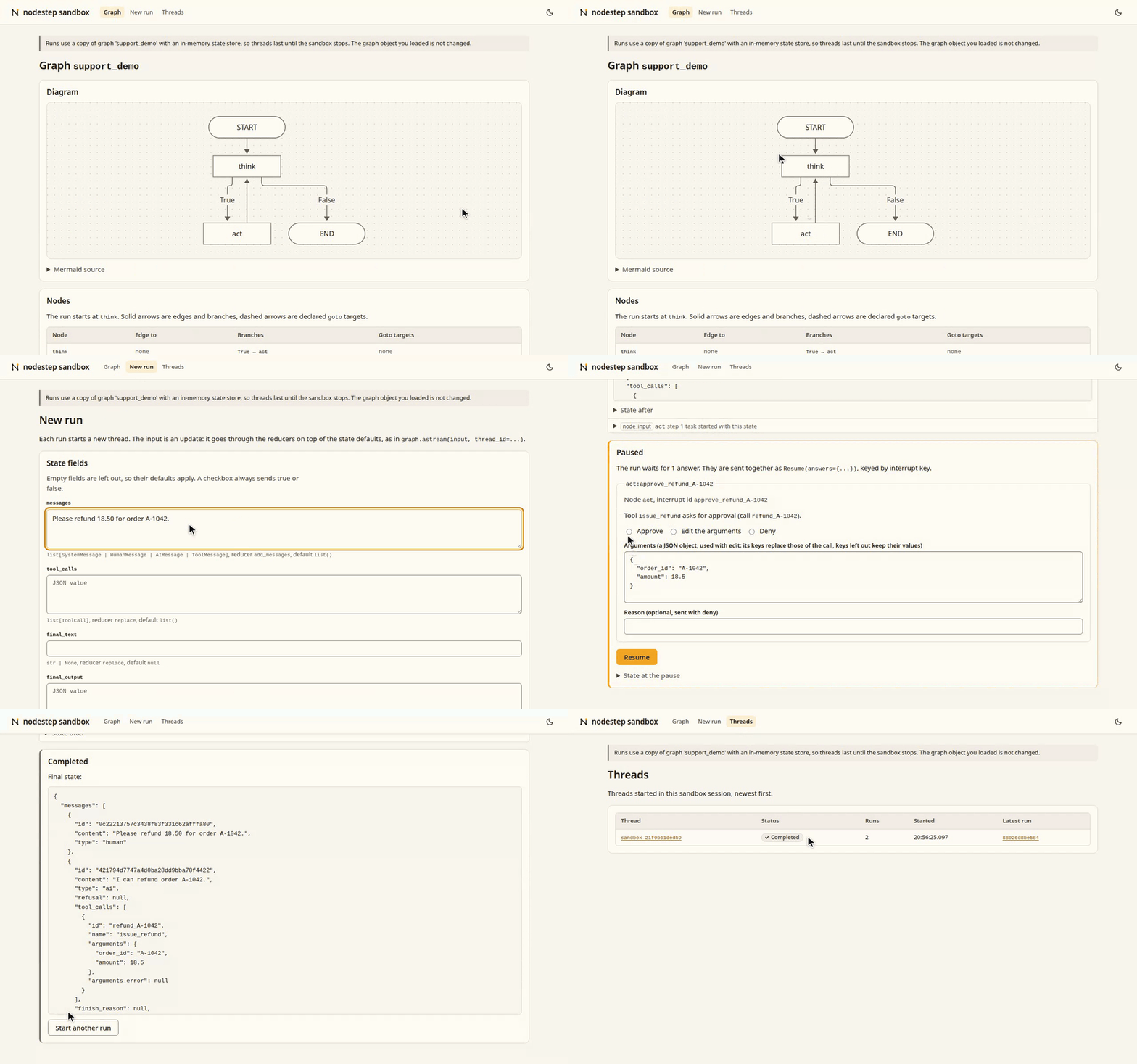
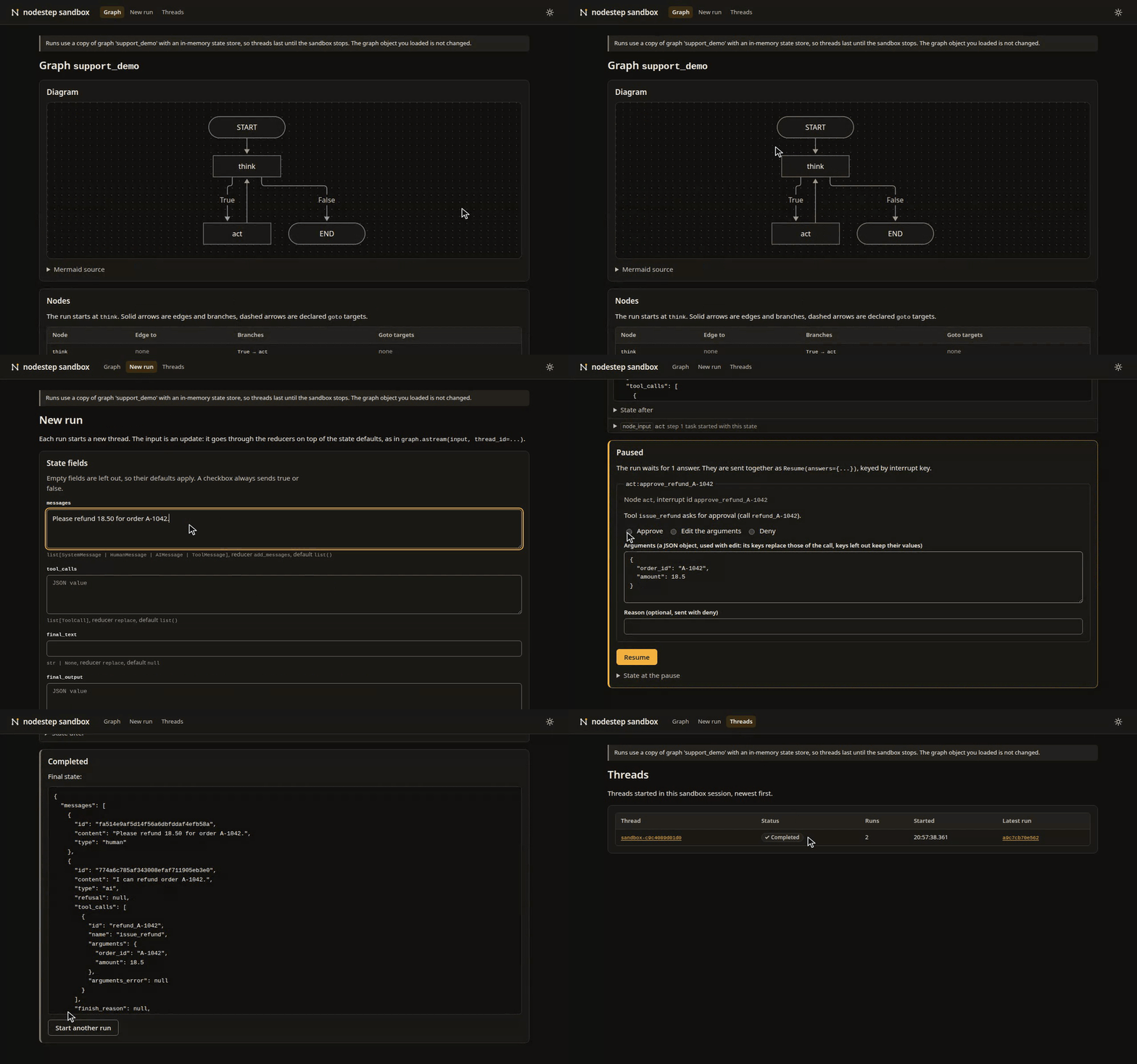
- Graph: the Mermaid diagram, the nodes, and the state fields with their types and reducers.
- New run: a form generated from the state model, with a message box for
add_messagesfields and a JSON input for everything else. - Run: one row per superstep and task as the
"updates"events arrive, the"custom"events, and at the end the final state or a form for the pending interrupts. Tool approvals fromToolInterruptMiddlewarecan be approved, edited as JSON or denied. - Threads: the runs of this session, and each thread's history.
The sandbox runs a copy of your graph; your graph object is not changed. A graph without a state store gets an InMemoryStateStore, and the page says so: threads then last as long as the sandbox process.
The demo
A support-desk agent that needs no API key. Asked for a refund, it proposes a tool call that waits for your approval:
uvx --from "nodestep[sandbox] @ git+https://github.com/nodestep-ai/nodestep" nodestep sandbox nodestep_sandbox.demo:graph
Graphs that call a model
The extra of a chat integration, such as openai, is a run-time dependency of your project; the sandbox is a dev dependency. Nothing loads a .env file, so pass it to uv run:
uv add "nodestep[openai] @ git+https://github.com/nodestep-ai/nodestep"
uv add --dev "nodestep[sandbox] @ git+https://github.com/nodestep-ai/nodestep"
uv run --env-file .env nodestep sandbox app.py:graph
Examples
Every script in examples/ has a module-level graph. From a clone:
uv sync --locked --all-extras
uv run --no-sync nodestep sandbox examples/router.py:graph
Run the examples lists each one with its command.
Good to know
- The server binds to
127.0.0.1unless you pass--host. Wildcard addresses such as0.0.0.0are refused. - Any other non-loopback address prints a warning: every machine that can reach it can open the page and run the graph.
- Requests whose
Hostheader is not the bound address and port are rejected, which blocks DNS rebinding. - Every form carries a random token created at start.
- All options and exit codes: Sandbox CLI.