nodeartifact
nodeartifact traces nodestep graphs: instrument() records every run, node, model call and tool call as OpenTelemetry spans, and nodeartifact serve stores them in SQLite and shows them in a local web UI. The server accepts OTLP/HTTP traces from any other OpenTelemetry code too.
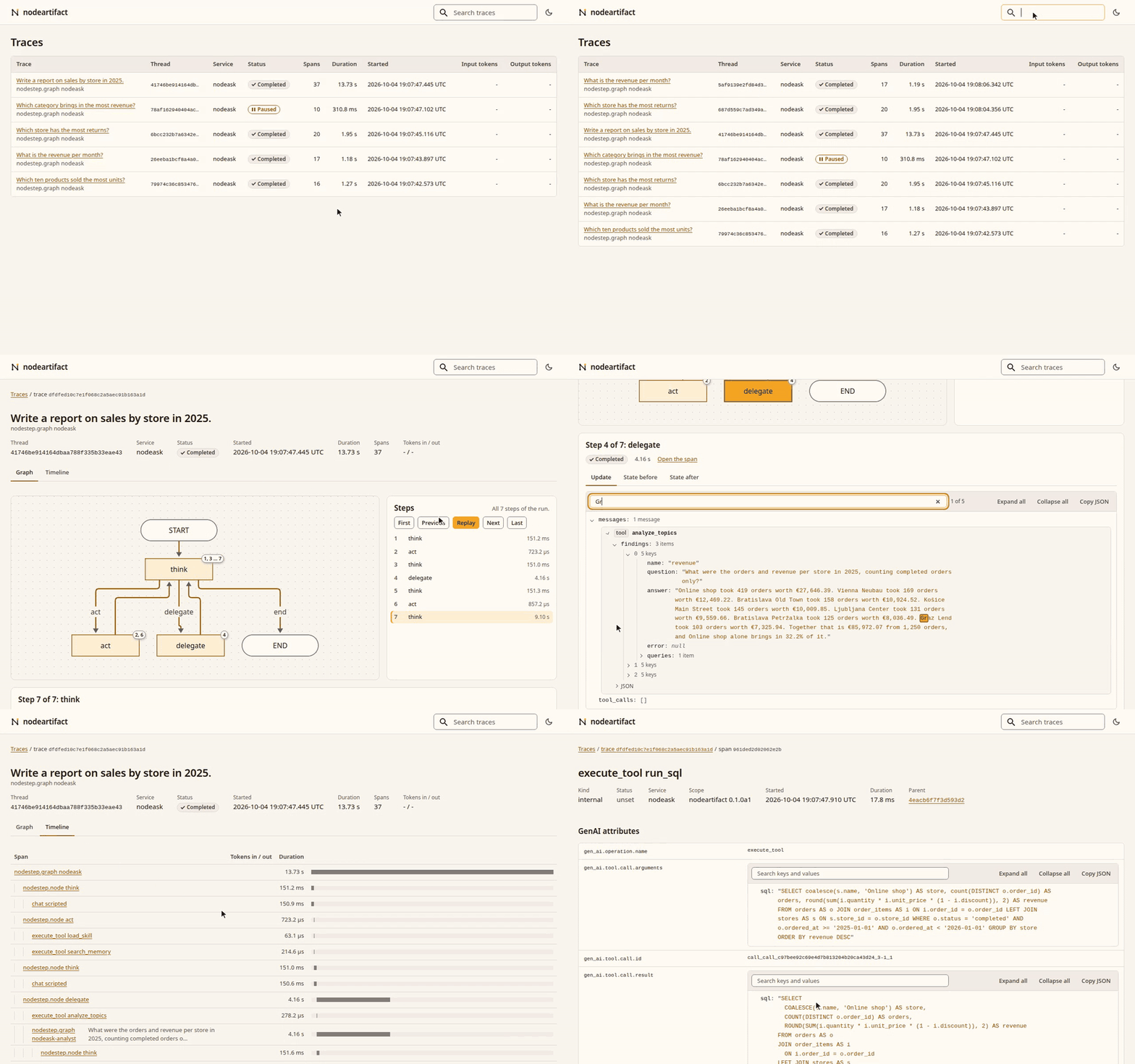
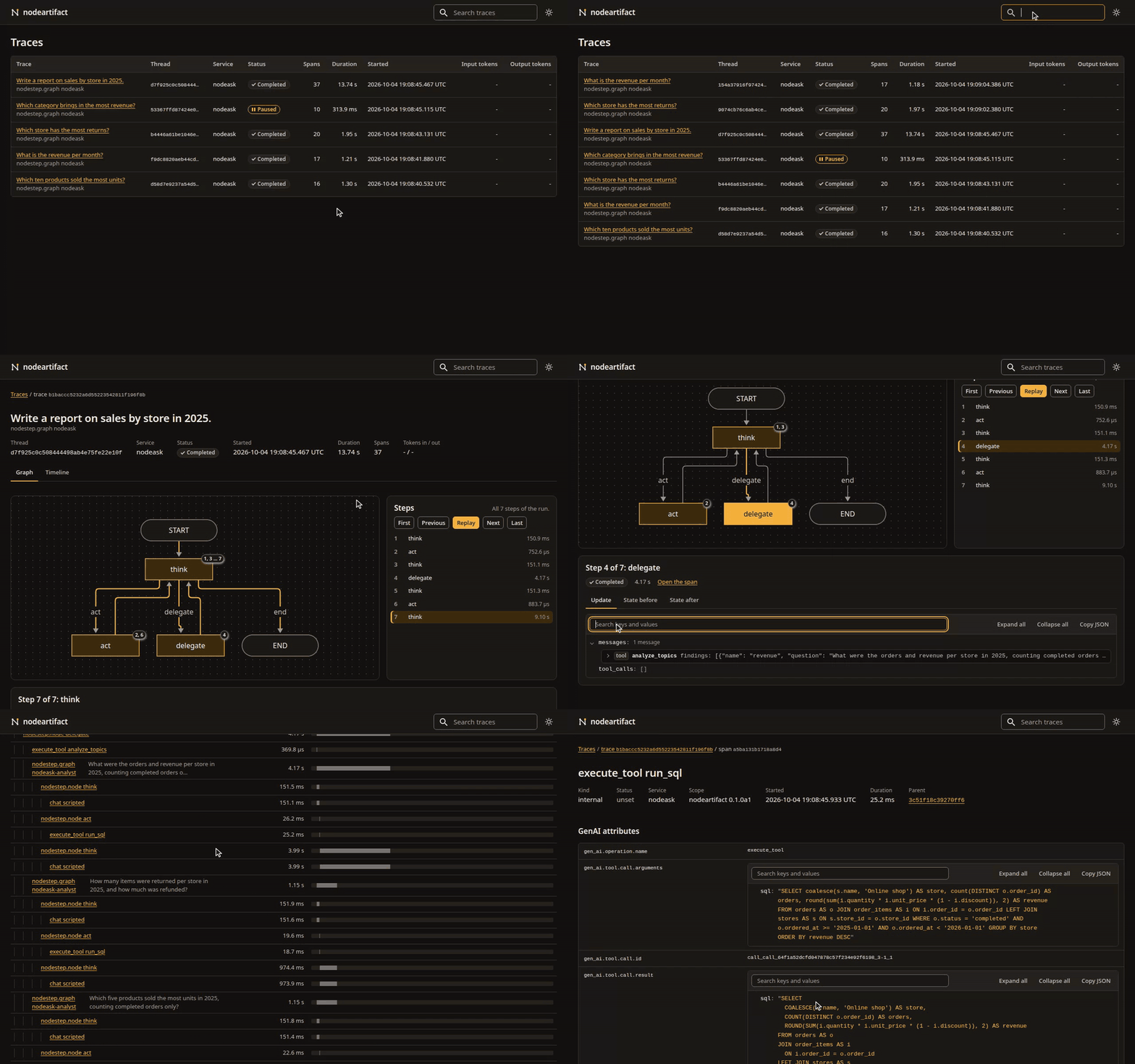
In development
Alpha (0.1.0a1). Anything may change between releases without a deprecation period, so pin a tag or a commit. nodeartifact is not on PyPI yet.
Install
uv add "nodeartifact[server] @ git+https://github.com/nodestep-ai/nodeartifact"
configure() and instrument() need only the base package. The server extra adds nodeartifact serve.
To run the server without adding it to a project:
uvx --from "nodeartifact[server] @ git+https://github.com/nodestep-ai/nodeartifact" nodeartifact serve
A first trace
Start the server. It listens on 127.0.0.1:4318, the standard OTLP/HTTP port, and keeps the spans in nodeartifact.db in the current folder.
uv run nodeartifact serve
In another terminal, run a graph through instrument(). ScriptedChat plays the model, so no API key is needed.
import asyncio

from nodestep import ScriptedChat, build_react_agent, run_agent

import nodeartifact

agent = build_react_agent(ScriptedChat(["Order A-1001 has shipped."]), tools=[])

provider = nodeartifact.configure("http://127.0.0.1:4318", service_name="my-app")
traced = nodeartifact.instrument(agent, tracer_provider=provider)
print(asyncio.run(run_agent(traced, "Where is order A-1001?", thread_id="order-1")))
provider.shutdown()
Order A-1001 has shipped.
Open http://127.0.0.1:4318/ and click the run to see its graph, its steps and its spans.
configure()returns aTracerProviderthat sends spans to the server. It does not set the global OpenTelemetry provider, so pass it toinstrument().instrument()returns a traced copy of the graph. The graph you pass in is not changed.provider.shutdown()sends the last spans. Without it, the end of the run is lost when the script exits.- Spans go out in batches every 5 seconds. To follow a run as it goes, pass
schedule_delay_millis=500toconfigure().
Next steps
- Tracing: what a run records, a real model, sub-agents, your own spans and traces from other code.
- Web UI: find a run, replay it on its graph, follow a live run and read its state and messages.
- Server: the
serveoptions, security and Docker.
License
MIT. The source is on GitHub.